Reasoning Chains: Don’t trust AI’s answer. Check it.
Written by The Count Team
Audit AI answers with Count’s Reasoning Chains—review sources, assumptions and logic behind every claim to catch errors and build outputs you can trust.
Today we’re launching a new feature in Count called Reasoning Chains.
Our customers tell us they value Count for how easy we make it to understand the logic behind data analysis. Now we’re taking this a step further by making all the claims and conclusions from the Count Agent open to review.
Today, AI analysis remains a black box. Numbers appear out of thin air. Sometimes there’s SQL or Python to review, but analysis, and knowledge work in general, is bigger than just numbers. LLMs can analyse qualitative information alongside database tables, bringing together evidence from websites, documents and business tools. Checking the code (if you can) only tells you part of the story. To trust an AI’s answers, you need to understand all the information it is using and, crucially, how it is using it.
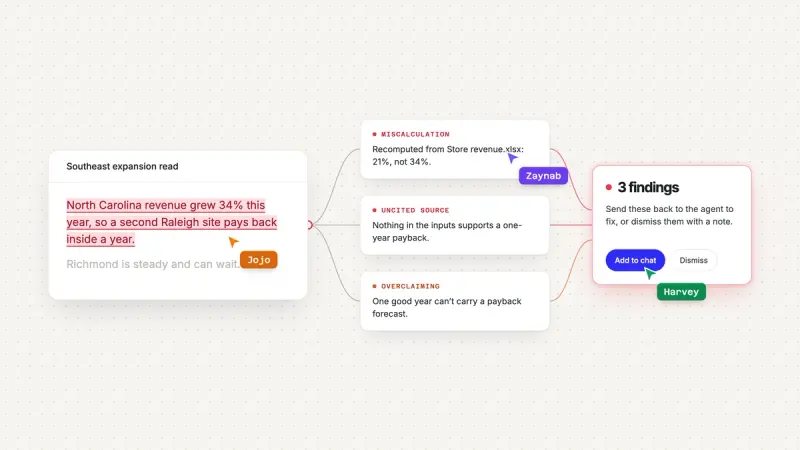
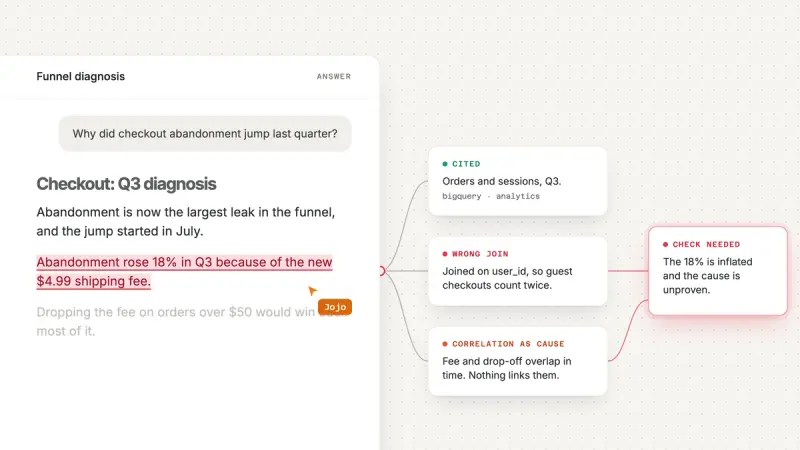
Reasoning Chains turn the claims in Count’s AI outputs into an auditable chain of logic, making the sources, assumptions and inferences behind an answer visible so you and your team can check them.
This goes beyond reviewing SQL, Python or charts. You can check the source of a written quote, the thinking behind a conclusion or the methodology driving a final set of recommendations - basically anything containing knowledge. It doesn’t matter whether the information comes from a database, MCP connection, website or PDF either.
How do Reasoning Chains work?
We’re very aware that the level of review needed for an AI’s answer varies depending on the user’s domain expertise and the importance of the use case. We’ve therefore made reviewing Reasoning Chains optional; something you can tap into when you really need to dig in, or if the Count agent flags something important to you.
In broad strokes, there are four steps to bringing Reasoning Chains into your workflow:
- Ask as normal: As before, the Count agent answers a question, building its analysis and answer in the canvas as usual.
- Review the methodology as you read: Click on any claim, statement or chart to see the chain of logic from source to answer.
- Review any callouts: A second Count agent reviews the output and its Reasoning Chains, flagging potential errors, assumptions and sources that need your attention in the new review panel.
- Change anything to improve the answer: Spot anything odd or something that could be improved? Ask the agent to change it and the output will update to reflect your input. Or tag a teammate to discuss what changes you want to make.
For more than data analysis
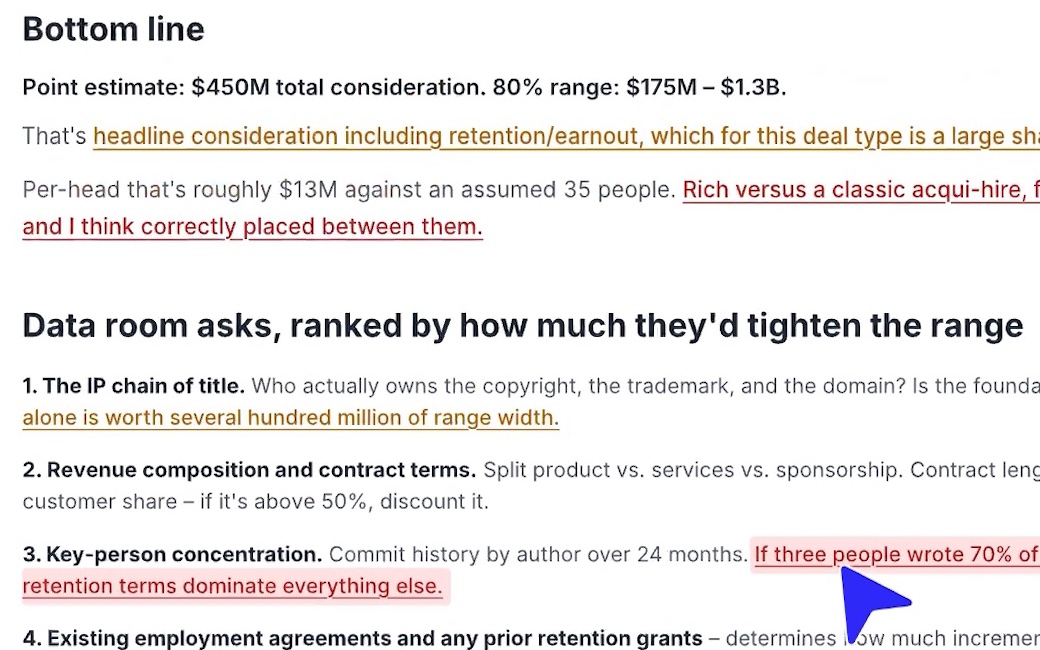
Reasoning Chains bring structure to both qualitative and quantitative analysis. This means you can use them for more than just hardcore data analysis and start using Count for more general knowledge work or content creation when you need to be confident in the outputs you’re making.
Below are a few examples of the kinds of use cases you can now use Count and Reasoning Chains for.
More to come!
You might have gathered from the above that we’re particularly excited about the power of Reasoning Chains to help you check AI’s work and build outputs you can genuinely trust. We’ve got big plans to build upon this initial launch, and we’d love to hear what you think.
Reasoning Chains are available now for all users and plans. To try them out, just ask the Count agent a question, then click on its answer to start reviewing the reasoning behind it.
In the meantime, if you’re interested in the technology behind Reasoning Chains and why we believe it’s a fundamental part of AI-driven knowledge work, you can read our deeper dive here.