Introducing Count's API and MCP Server
Written by David Tomasoni-Major
David Tomasoni-Major shares how Count’s API and MCP server automate workflows and bring trusted, governed data into the tools your teams use every day.
We're excited to release our public API and MCP server, allowing you to integrate Count in the way your organisation works, and widen access to accurate, timely data to more people in more ways.
API access has been a long-standing feature request, and with this v1 implementation we are enabling new methods of managing and working with Count within organisations. We will continue to evolve and extend the endpoints based on customer feedback and new use-cases that emerge. The API is available to all customers on Scale and Enterprise plans.
Read the docs: https://learn.count.co/integrating-count/public-api
MCP is becoming one of the most accessible ways of interacting with third-party services. While we believe Count is the best place for people to work with data, we also recognise the need to support more people accessing governed data wherever they work. The Count MCP server is available on all paid plans.
Read the docs: https://learn.count.co/integrating-count/mcp-server
The case for MCP
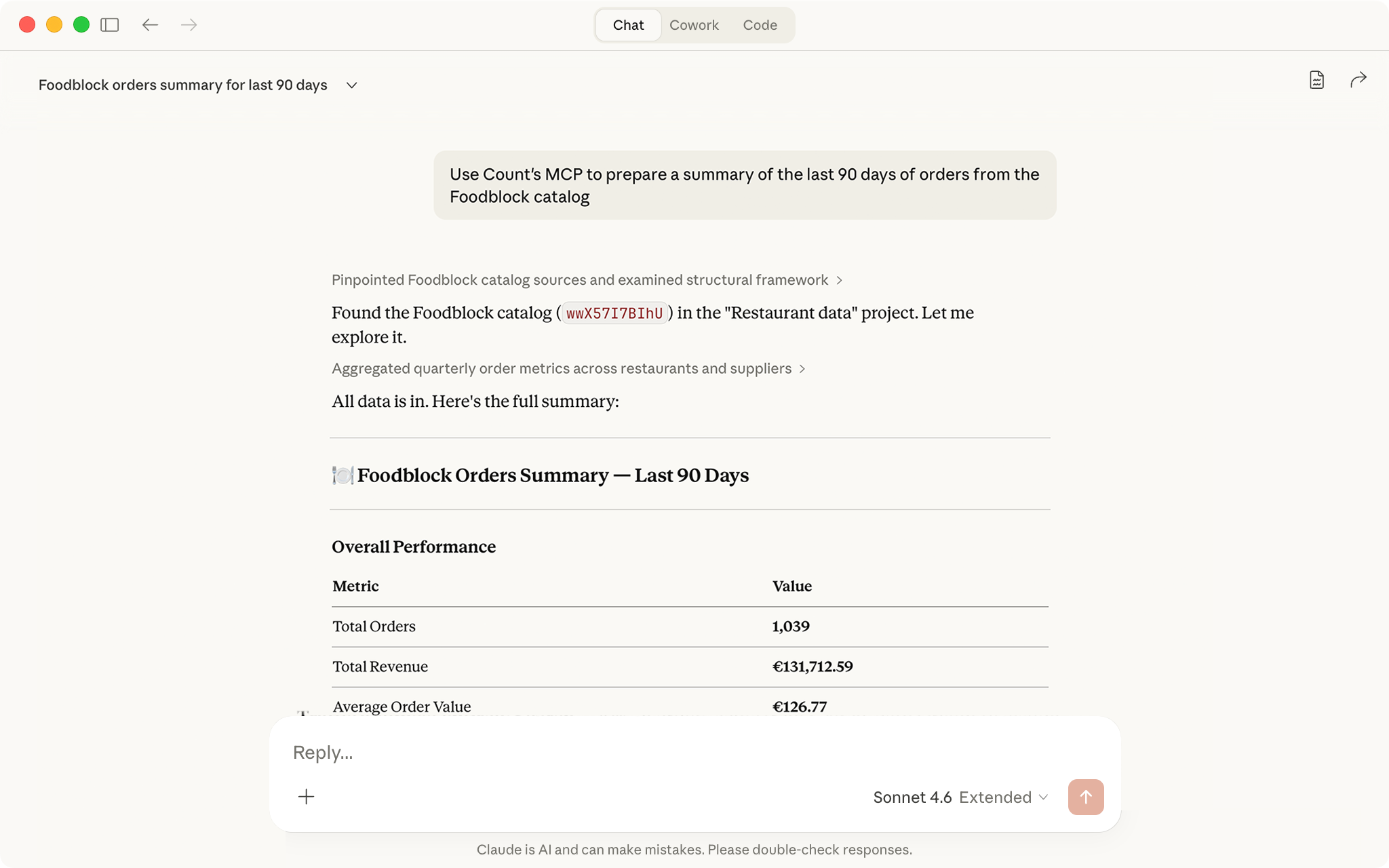
One of our motivations when building Count AI was seeing how existing AI chatbots fell victim to hallucinations and inaccuracies because they couldn't operate on data at scale. Giving the agent direct access to database connections and catalogs in our compute layer has resulted in output that is more accurate and ultimately more usable by analysts. MCP allows us to open up these data sources to Claude, ChatGPT, Cursor and others — both directly, and via the Count Agent. The MCP can trigger the creation of a canvas and prompt the agent to begin building analysis, which can then be opened directly by the user or passed back to a chatbot for further exploration.
The MCP tools overlap with the API endpoints by design. We see them as two interfaces to the same functionality and will continue to expand MCP functionality tracking the API.
Making Count easier to manage
CI/CD data validation
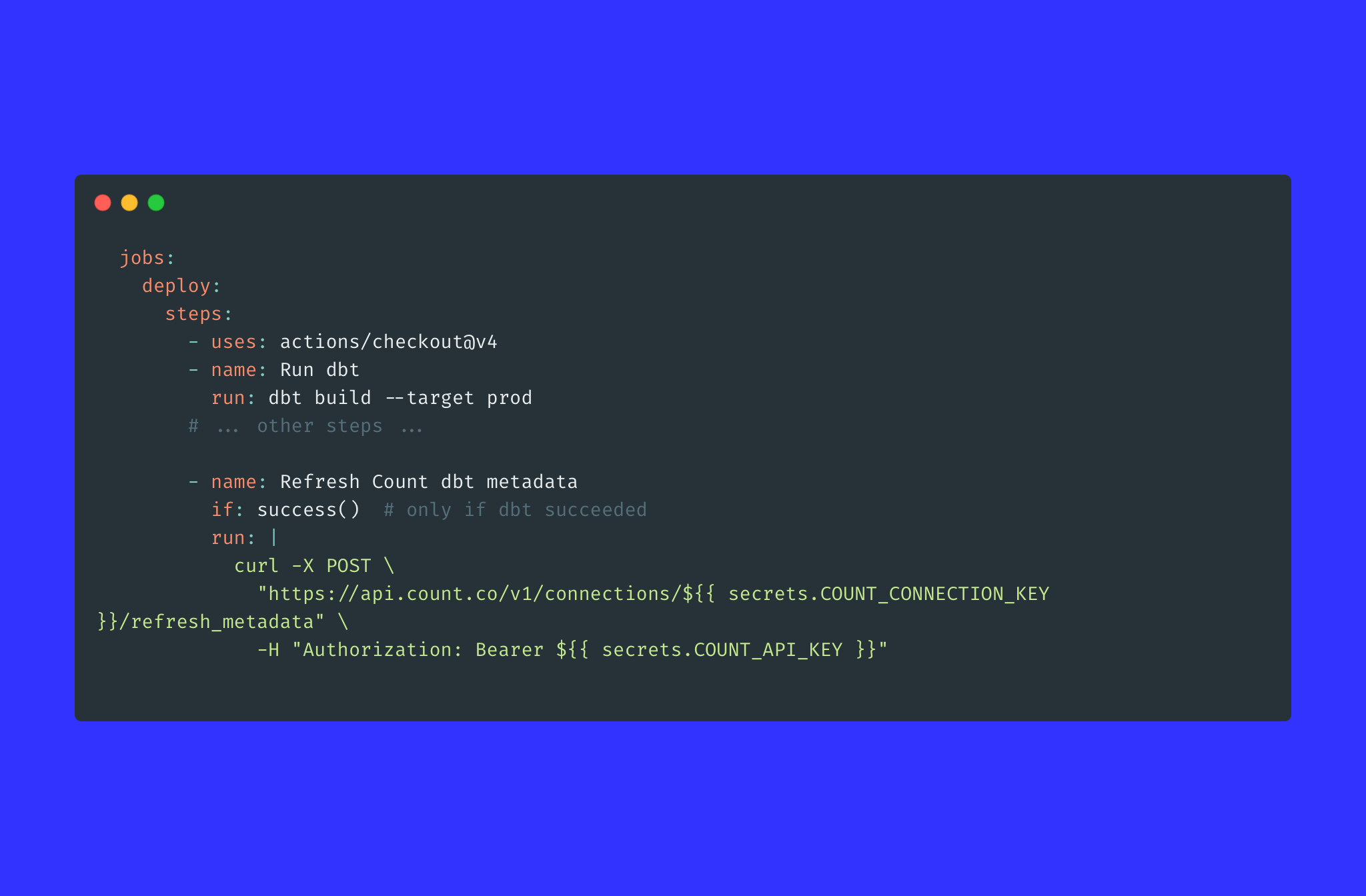
After a dbt run, use the API to execute reference queries and compare outputs against expected ranges. If a value deviates beyond a threshold, the pipeline fails — the same way a failing unit test would block a code deployment. This makes Count an active checkpoint in your deployment process, not just a downstream consumer of whatever the warehouse produces.
Schema refresh automation
Add a step at the end of your dbt pipeline or ingestion job that calls the Refresh Connection Schema endpoint. Count stays in sync with your warehouse automatically, without anyone having to remember to do it. A small thing, but it removes a whole category of "why is this column missing?" friction that erodes analyst trust in the tool.
Audit and govern canvases programmatically
As usage grows, workspace hygiene becomes a real problem: stale canvases, duplicated analyses, broken queries still showing up in search. The List Canvases and Get Canvas APIs let you build a governance layer — flag abandoned canvases, identify analyses referencing deprecated tables and report on ownership.
Widening access to reliable data
Extend trusted metrics beyond Count users
Most organisations have a small group of analysts who live in Count, and a much larger group — execs, sales reps, ops managers — who need data answers but will never open a BI tool. The MCP server extends the reach of the work your data team has already done in Count. Anyone can ask questions in Claude or ChatGPT and get answers grounded in your governed semantic layer: the same definitions, the same logic. Sure, we'd love everyone to be using Count, but we'd prefer everyone is operating from good data.
Embed trusted Count data in any internal surface
Ops portals, support consoles, Slack bots, admin dashboards — these tools all have data needs but shouldn't run on stale exports or guesswork. The query API lets any internal surface call Count directly and render live, governed results. The data stays in Count, maintained by your analysts; everything else is just a rendering layer.
Automated data digests for passive stakeholders
Rather than waiting for someone to seek data out, a scheduled script can pull the relevant metrics from Count and deliver them directly: a weekly revenue summary to the board, a daily pipeline email to sales leadership. The people who would never open a BI tool still get accurate, governed numbers.
Putting data into daily work and workflows
Event-driven anomaly investigation
When monitoring detects an anomaly, the API can trigger a Count agent immediately with the anomaly as context, pulling the relevant funnels, segments, and upstream metrics before anyone's opened their laptop. This compresses the time between "alert fires" and "investigation is underway," and crucially it means the investigation happens inside Count rather than in a separate ad hoc tool.
Automated slide deck creation
Many decks have predictable structure and regular cadence: weekly kickoffs, team meetings, quarterly reviews. Cue the Count Agent to create a presentation with your requirements and have it fill in the insight, the narrative, and the numbers from your data. Present from Count, or export to a PDF for use elsewhere.
Zapier / Make automation workflows
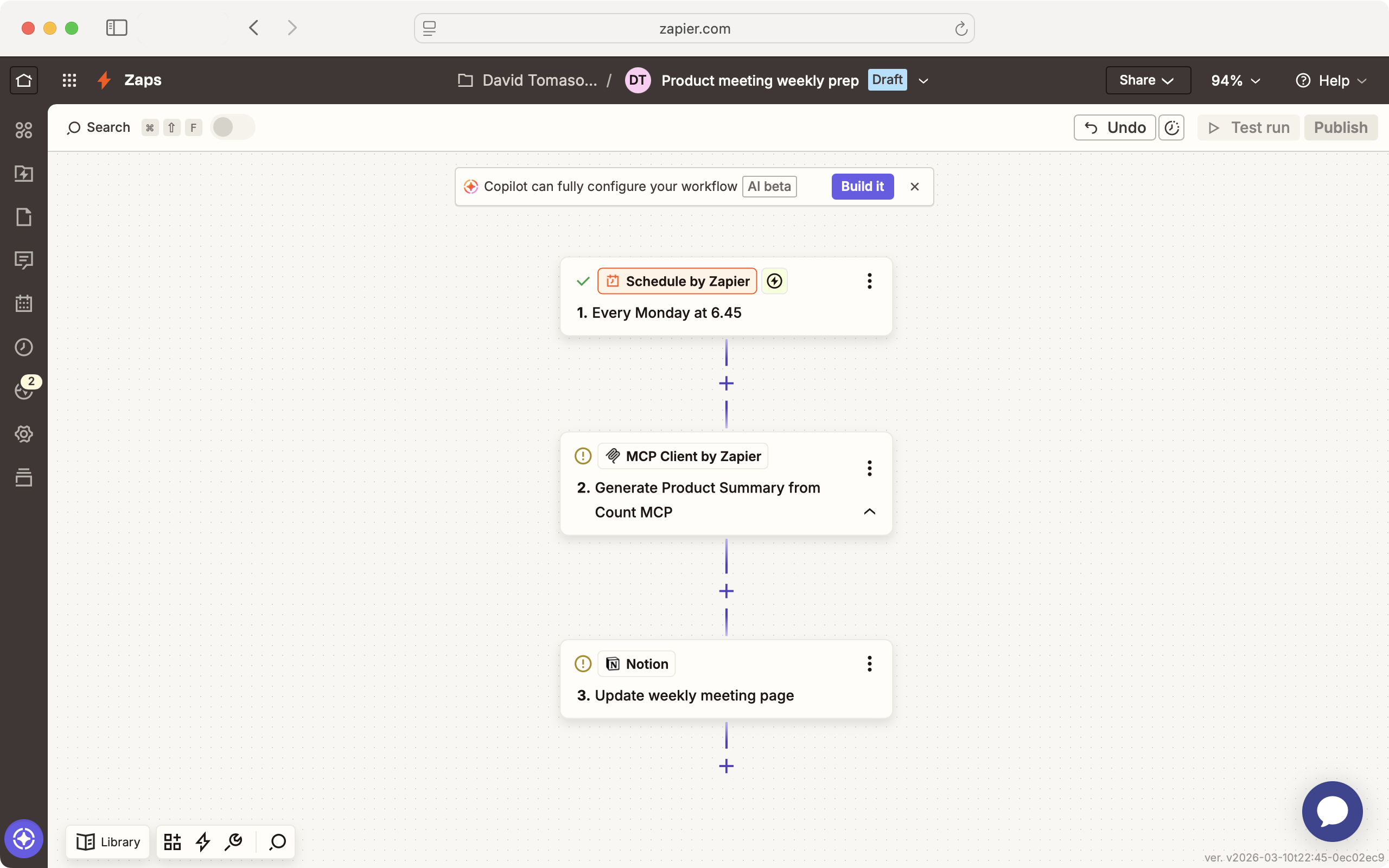
The Count API opens up a new class of data-enriched no-code automations. A deal closes, Count is queried for that customer's segment benchmarks, and a contextualised Slack message goes to the account team. A support ticket resolves, Count pulls the customer's recent health metrics, and the resolution summary is enriched before logging. Workflows that previously required a manual data pull become fully automated, with Count as the trusted data source powering them.