Three new ways to teach, manage, and improve Count's agent.
Written by Oliver Hughes
Oliver Hughes explains three new Count features that refine agent context, automate updates via API, and use telemetry to continuously improve answers.
Count's agent turns a question into an insight. But one agent doesn't fit every team. Your product and marketing teams work in different projects, draw on different data, and need different context. So as you roll the agent out across your organization, the hard part stops being any single answer - it becomes managing the agent and its context everywhere at once, keeping it accurate, granular, and versioned.
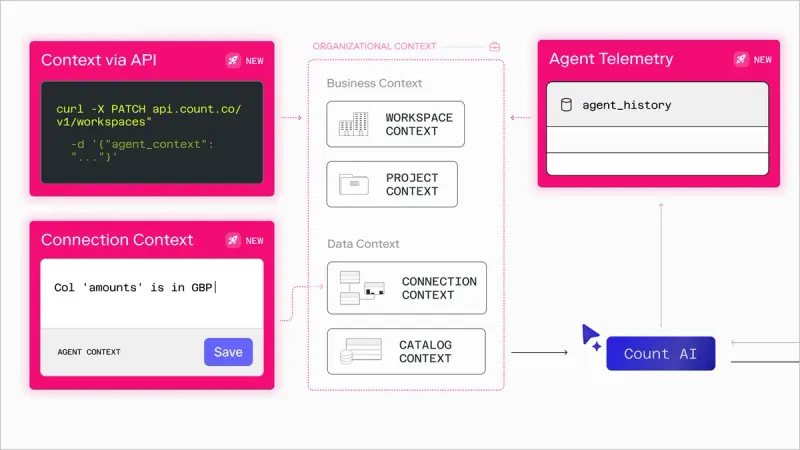
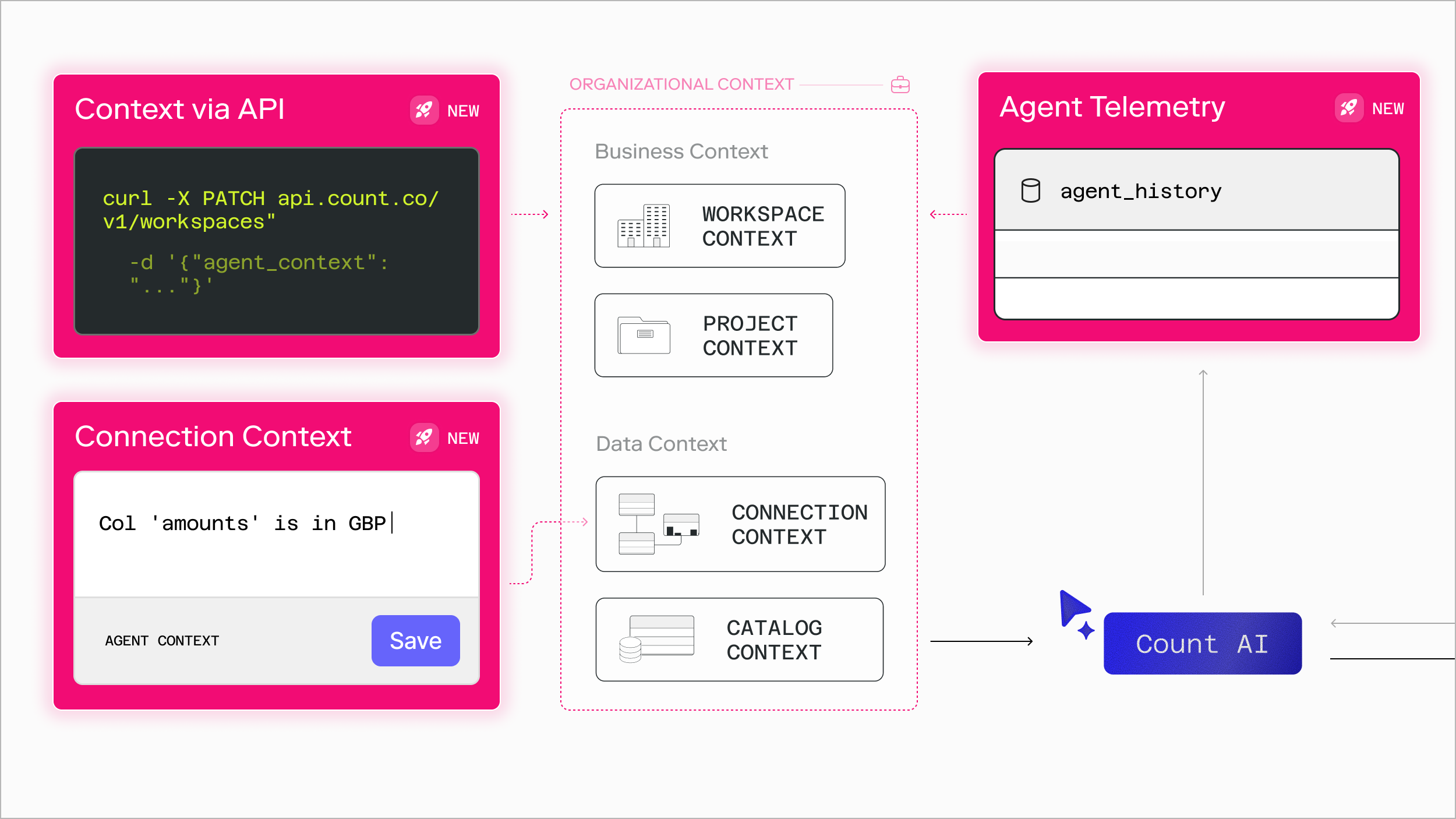
This week we're shipping three updates that give you more control over what the agent knows and how you learn from it: Context for Connections, Context via API, and Agent Telemetry. Apart, each is useful. Together, they form a loop - an agent improvement cycle.
1) CONTEXT FOR CONNECTIONS
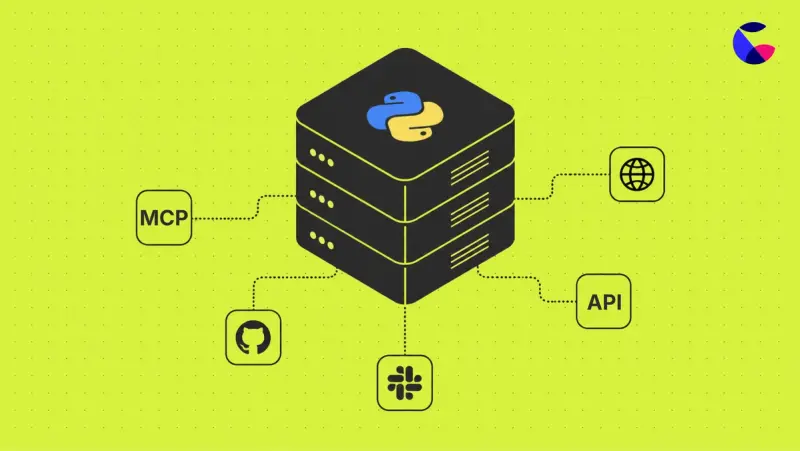
You can already give the agent context at the workspace and project level. But most projects have more than one data source - a database here, an MCP server there - each with its own quirks. Now you can attach context to a specific connection, for a level of detail that's hard to capture anywhere else, because it belongs to the source.
Some connections don’t or shouldn’t require a semantic layer. Connection context allows you to give the agent instructions on database connections (e.g. “amounts are in cents”) or how to use certain MCP tools (e.g. “For Notion project ‘CountOS’, include document owner in schema.”). You can even add some markdown to a clean database and voilá! You've built a lightweight semantic layer in minutes.
Best for: teams with raw warehouse connections and no full semantic layer (or an incomplete one), and anyone running multiple connections with different conventions.
2) CONTEXT VIA API
Context lives in Count, which used to mean updating it by hand in the UI. For teams who already maintain definitions in dbt YAML, a wiki, a git repo, or Notion, that's unnecessary friction and means things can get out of sync.
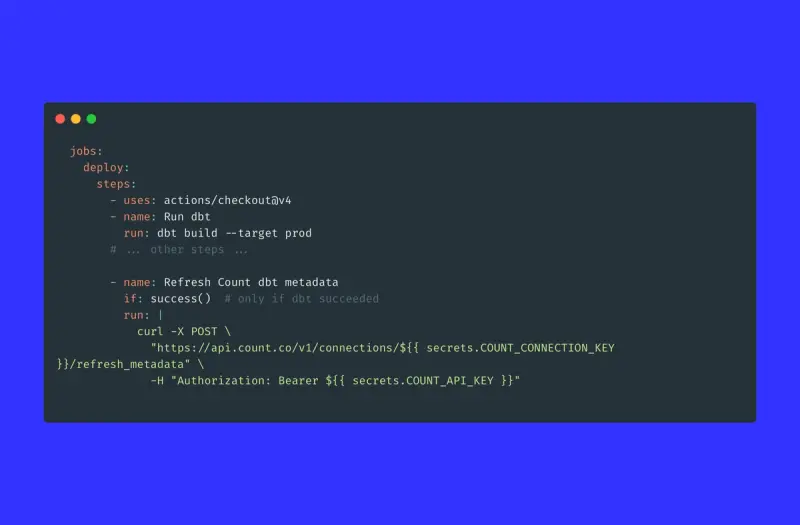
Now your agent context - at the connection, workspace, catalog, and project level - can be read and updated through the public API. Manage it from wherever your team already works: set it on a schedule, wire it into a CI/CD pipeline, or trigger an update the moment your data model changes. Your instructions stay versioned and never drift.
Use it to sync from a central source of truth, run a weekly job that flags stale or contradictory context, or update Count automatically whenever a dbt model changes.
3) AGENT TELEMETRY
Giving the agent the ability to understand your data is one thing. Understanding how your team uses the agent is another. As our own Mitra and Jason discuss in their latest webinar: agents don't fail loudly; they quietly start getting things wrong, and without data you're left guessing whether usage is growing, whether people are getting what they need, and whether the agent is hitting the right tables.
The new agent_history table gives you the signals instead: whether usage is growing, how long conversations run, what SQL the agent writes, the thumbs up and thumbs down on its responses, and where errors creep in. Open it on a canvas, build a quick chart, and see who's leaning on the agent most. It's available to agent owners by default.
The payoff: an agent improvement cycle
These three updates close a loop. Telemetry shows you how the agent is actually used and where it stumbles so you know what context to sharpen. Context for Connections and Context via API let you make those improvements precisely and keep them versioned. Because the changes flow through the same system, you can then measure their impact back in telemetry, and go around again. Monitor, improve, measure, repeat.