





Reporting & dashboards
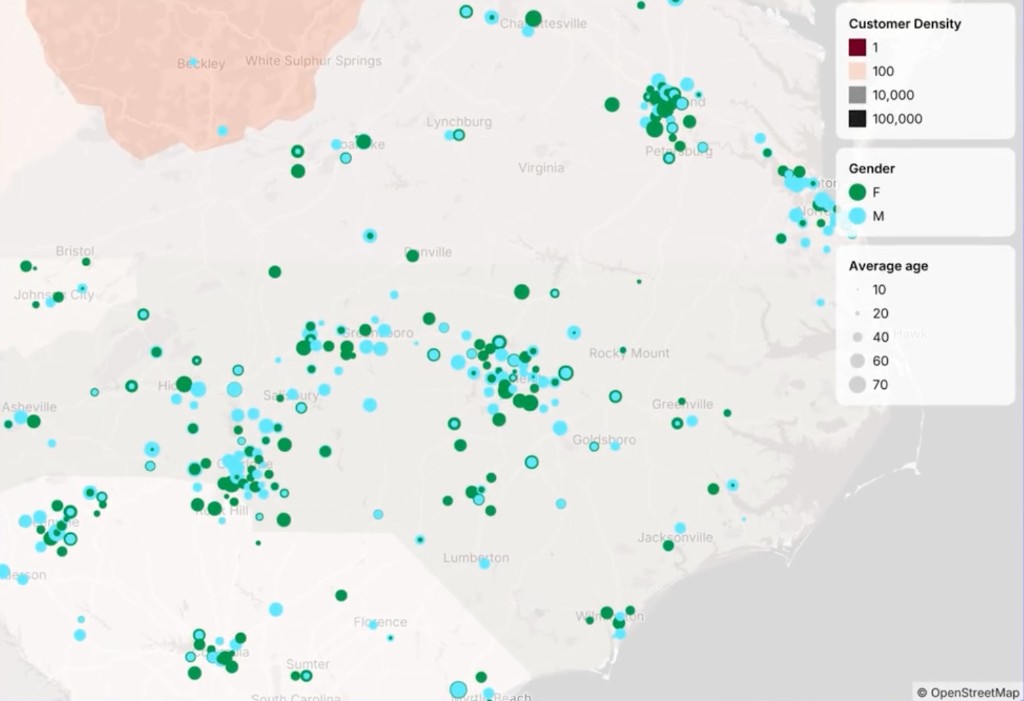
Build live reports and dashboards on your live data sources, and know every number on them holds up.
Count is a collaborative platform for AI-powered analytics and research,
where every answer earns your trust.
Trusted by brands worldwide











01 · Reasoning chains
Chatbots give you plausible answers, Count gives you confidence.
Every fact in Count comes with an explanation of how it was made. Every source, every assumption or inference, so you can be confident in what you’re reading.
02 · Collaboration
Important decisions always involve others. Count is collaborative by default. Drop comments, tag colleagues and work through answers together in real-time.
03 · Context & integrations
Manage your team's knowledge in one place, connect the data, tools and files you already use, and share outputs that carry their working with them.
Single-player apps
 Claude
 Claude Code
 ChatGPT
 Cursor
 Gemini
Workspace knowledge
 Count
Count Optionally sync with GitHub
Build & share in Count
Connections & imports
Kestrel briefAnswerWrite a competitive brief on Kestrel for Thursday’s pricing review.
Kestrel: competitive brief
Kestrel came up in 14 of last quarter’s lost deals, most often on price.
Kestrel sells usage-based analytics to mid-market retail and travel teams. In March, Kestrel cut its list price by 40%, which explains its run of wins in retail this year.
Its pricing page lists three plans, starting at $49 per seat each month. Annual contracts carry a 15% discount, and the enterprise plan is quoted on request.
Most Kestrel customers are on the entry plan, so a price match would only need to cover that tier. At current volumes a match there costs us about $310k a year.
Recommendation: hold list price, and offer a one-time migration credit to retail prospects comparing the two.
01 · Reasoning chains
Chatbots give you plausible answers, Count gives you confidence.
Every fact in Count comes with an explanation of how it was made. Every source, every assumption or inference, so you can be confident in what you’re reading.
Write a competitive brief on Kestrel for Thursday’s pricing review.
Check neededIn March, Kestrel cut its list price by 40%, which explains its run of wins in retail this year.
Model knowledge
Recalled from training data. No source was read for this.
Cited
Kestrel pricing page, archived 2 March and 14 May
web.archive.org
Check needed
No price change on record. Both snapshots list the same plans.
02 · Collaboration
Important decisions always involve others. Count is collaborative by default. Drop comments, tag colleagues and work through answers together in real-time.
Where did the 40% come from? Sales hasn’t heard this.
Pull this before Thursday’s review.
Ollie
03 · Context & integrations
Manage your team's knowledge in one place, connect the data, tools and files you already use, and share outputs that carry their working with them.
Push work in via MCP7
+2Databases4


Tools11



 +6
+6Files6
Share as
Use cases
From live dashboards to deep research, build reports your business can trust and where the methodology is captured alongside the results.
Build live reports and dashboards on your live data sources, and know every number on them holds up.
Explore your business and your data to find out what's really driving change, like why churn rose last quarter.
Turn sales-call transcripts, surveys and market docs into findings where every fact is verified and traceable.
Build the board or stakeholder deck in Count, with every claim checked before you present it.
Stop worrying about which model to use or what it costs. Count matches every step to the right model, balancing cost and performance, so you can go deep without hitting limits or surprise bills.
You’ve reached your usage limit.
Upgrade your plan or try again in 4 hours.
Re-run the churn analysis on this quarter's data and stress-test every assumption.
Re-run the churn analysis on this quarter's data and stress-test every assumption.
Pulled this quarter's renewals and cancellationsMatched them to accounts and plansSplit churn by plan, tenure and regionRanked the drivers against last quarterStress-testing 6 assumptions…98% of teams never hit a usage limit.
Count combines the best of your favorite apps and tools.
| Feature | Count | ChatbotsClaude, ChatGPT, Gemini | BI tools   Looker, Lightdash, Sigma Looker, Lightdash, Sigma | AI workspaces  Dust, LangDock Dust, LangDock |
|---|---|---|---|---|
| Hallucination detection | Included | Not included | Not included | Not included |
| No usage caps | Included | Not included | Not included | Not included |
| Live reports | Included | Not included | Included | Not included |
| Semantic layer | Included | Not included | Included | Not included |
| Agent skills | Included | Included | Not included | Included |
| Real-time collaboration | Included | Not included | Not included | Not included |
| MCP connections | Included | Included | Not included | Included |
| Native database connections | Included | Not included | Included | Not included |
| Python support | Included | Included | Not included | Not included |
Answers you can trust.
Start free